In this article7 sections
Before listing photos go public, take out anything that identifies the people who live there or helps a stranger get in: faces and family photos, children's names and school items, mail and documents, licence plates, alarm panels, safes, key boxes and access codes. In BC, real estate licensees must handle personal information under PIPA, so treat these details as the seller's, not the listing's.
Listing photos stay online long after the sale. They are copied to portals, saved by buyers and reposted by aggregators, so whatever is in the frame on shoot day can be public for years. Most privacy problems in listing photos are small and easy to prevent: a name on a fridge drawing, a framed family photo, a utility bill on the counter. This checklist covers what to remove, what to blur in editing and how to agree on it with the seller before the shoot.
Why privacy is part of the listing job in BC
BCFSA's guidance for real estate professionals says licensees must comply with BC's Personal Information Protection Act (PIPA), which sets out how personal information is collected, used, stored, disclosed and protected. PIPA defines personal information as information about an identifiable individual (BCFSA: Privacy information). BCFSA's privacy guidelines also tell licensees to minimize the personal information they collect, get informed consent for non-statutory uses, and safeguard what they hold (BCFSA: Privacy guidelines).
Neither page is written about photos specifically. But a photo that shows a seller's face, their child's name or a letter with their address carries information about identifiable people, and none of it is needed to sell the home. Leaving it out is the simplest way to stay on the right side of both documents. Guidance as of November 2026; this is general information, not legal advice. Check with your brokerage when a situation is unclear.
The checklist: what to remove before the shoot
Walk the home with the seller a day or two ahead and go room by room. Items fall into three groups.
People and family details
- Family photos and portraits. Take them off walls, shelves and the fridge. Leave the hooks; a bare wall reads better than a gallery of faces.
- Children's names and routines. Name decals, height charts, school timetables, sports schedules, art with names on it, labelled backpacks and lunch boxes.
- Religious, medical and personal items. Prescription bottles, mobility aids where the seller prefers, diplomas, certificates and anything the seller would not want strangers to see.
- People and pets. Nobody should be in frame, including in mirrors and window reflections. Pets should be out of the house or in one room the photographer skips.
Documents and screens
- Mail and paperwork. Bills, bank statements, tax forms, prescriptions, calendars with appointments and sticky notes with passwords or phone numbers.
- Screens. Turn off TVs, monitors and tablets, or leave a neutral screen. A laptop open on a desk can show email, banking or a client file.
- Whiteboards and chalkboards. Family schedules and shopping lists often include names and times the house is empty.
Security details
- Alarm panels and cameras. A close, readable shot of an alarm keypad or camera model tells a stranger what system is installed. Shoot rooms from angles that keep panels small or out of frame.
- Safes, gun cabinets and valuables. Jewellery, collections, artwork that is clearly valuable, and any safe should be removed or kept out of the shot list entirely.
- Keys, lockboxes and codes. Key hooks, garage door keypads with codes written nearby and a lockbox photographed with its code side visible.
- Spare-room storage. Rooms holding expensive tools, bikes or electronics are worth shooting after they are tidied, or from the doorway only.
Outside the house
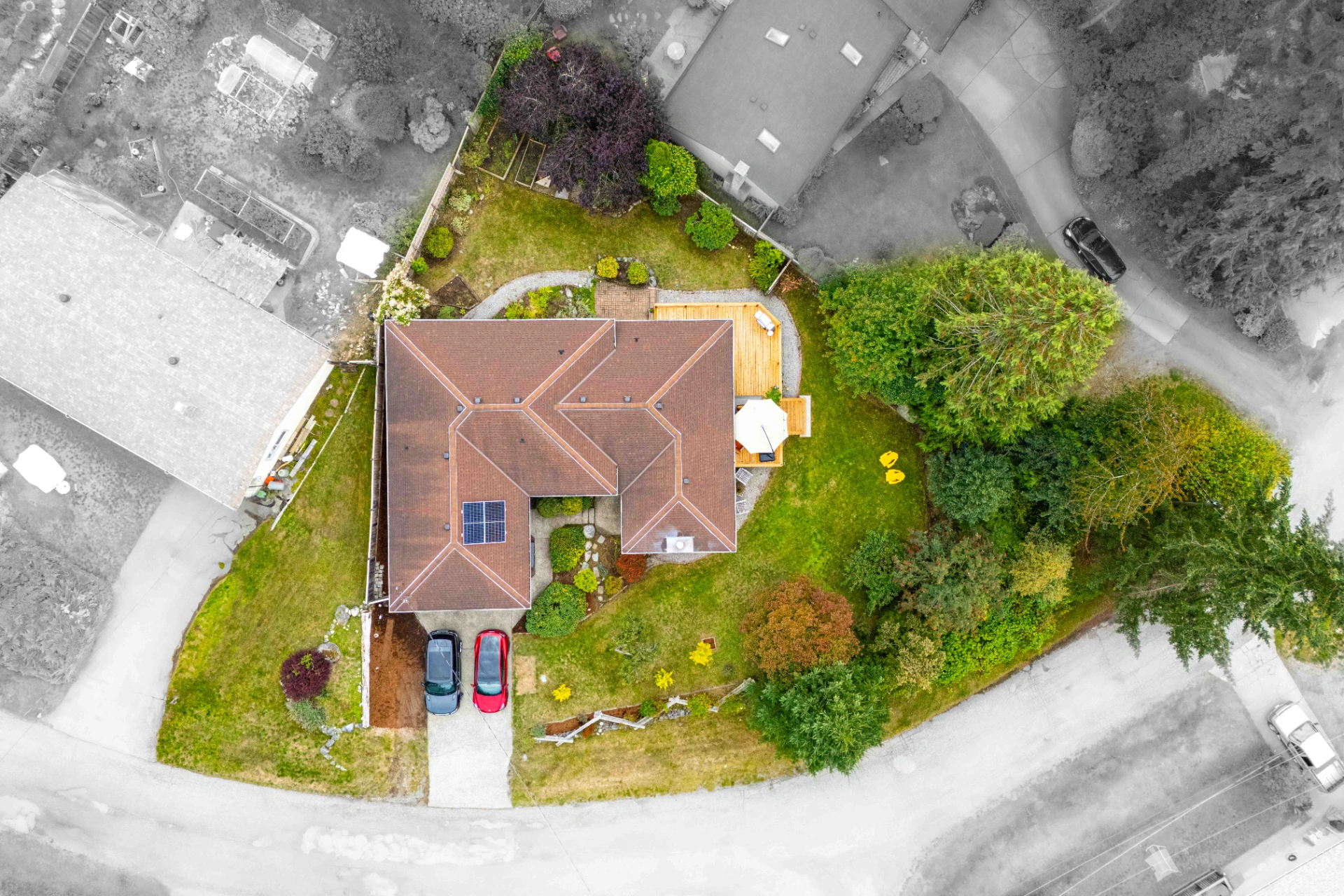
- Licence plates. Move cars off the driveway before exterior and drone photos. If a neighbour's car is parked out front, plan an angle that avoids it, or blur the plate in editing.
- House numbers on neighbouring homes. The listing address is public, but neighbours did not agree to be in the photos. Wide street shots and aerials should keep their homes as context, not as subjects.
- People in the street. Exterior and drone shots should wait for passers-by to clear.
- Back yards that face neighbours. A drone frame can look straight into the yard next door. Framing should stay on the listing's lot.
What can be fixed in editing, and what cannot
Small personal details can be removed in post-production: a photo frame on a shelf, a name on a mailbox, a licence plate on a car in the background, a reflection in a window. These edits protect privacy without changing the property, which is the line BC's advertising rules care about. Our guide to photo editing rules for BC listings explains which edits are routine and which need a label.
Editing is a backstop, not a plan. Removing a room full of family photos one by one costs time and rarely looks as clean as a wall that was cleared before the shoot. And some things cannot be fixed afterwards: once a 3D tour or a video has captured a home office with documents on the desk, every frame has to be checked. For a 3D tour, the whole home is recorded, so the pre-shoot walkthrough matters even more.
Agree it with the seller in writing
The seller decides what is personal, and the easiest way to avoid a dispute is a short written list sent with the shoot confirmation:
- What the seller will remove before the shoot (the checklist above, adapted to the home).
- What the photographer should keep out of frame if it cannot be moved, such as a safe bolted to the floor.
- What may be removed in editing, such as plates or reflections.
- Any rooms not to be photographed.
If the home is tenanted, the tenant has their own rights, including notice before entry and consent for staging. Our guide to photographing a tenanted home in BC covers those rules separately. For general shoot-day preparation, such as decluttering, lighting and exteriors, see how to prepare a home for real estate photos.
Common questions
Can a listing photo show the seller? It can, with their agreement, but it rarely helps the listing. Buyers want to picture themselves in the home, and a photo of the seller adds personal information to a public page for no gain.
Should the house number be visible? The address is usually published in the listing anyway, so the house number on the listing itself is not a privacy issue for most sellers. Ask, though: some sellers prefer it hidden in the hero shot.
What if something personal is spotted after the photos are live? Ask for an edited replacement and update the listing as soon as possible. Copies on other sites may take longer to refresh.
Book a shoot with a privacy list
When you book, send the seller's privacy list with the booking notes so the shoot is planned around it. Our services page explains each kind of listing media, current packages are on pricing, and for local conditions see our Vancouver page.
Further reading

Written by
RealtyShot
Real estate photography, 3D tours, drone and video for agents across Metro Vancouver. Based in North Vancouver and shooting from Vancouver to the Fraser Valley for 5+ years.
Book with RealtyShot
Ready to book your shoot?
Pick a package or individual services, choose a time and get an instant price in the booking portal.
Packages from $299
30% OFF30% off for everyone, extra 20% on your first order 604-600-1317